

Email chains nobody can follow
Updates are buried in threads, and half the people who need them were never copied in.
When a project involves more than one business, updates get lost. The supplier is waiting on a sign-off, the client thinks it's in hand, and nobody's sure who's chasing whom.
Updates are buried in threads, and half the people who need them were never copied in.
Everyone has a different version, and nobody knows which one is right.
You can't ask a client or a supplier to learn a whole system just to tick off three jobs.
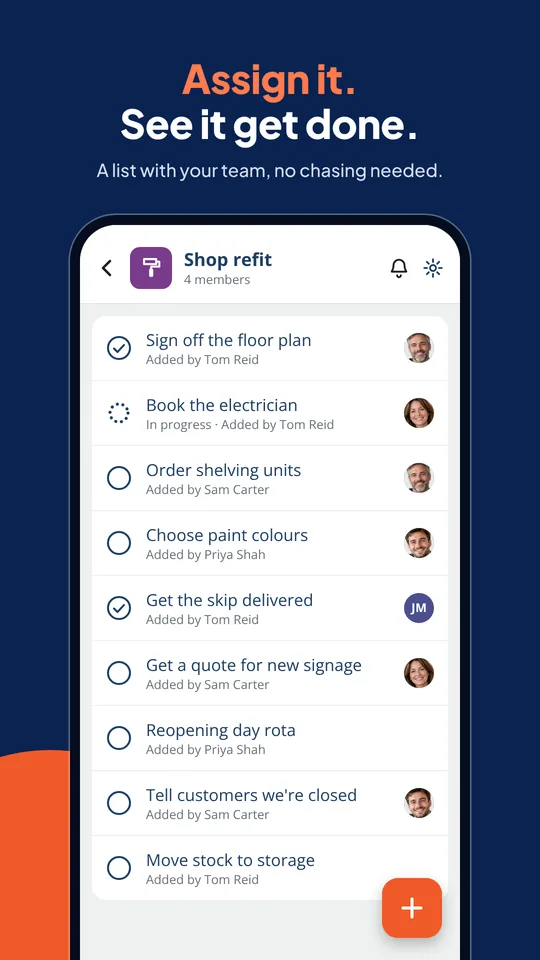
Add the jobs that need doing, from sign-offs to deliveries.
Bring in your client, suppliers and contractors, so each business is on the same list.
Everyone can see who owns what, so nothing falls between two companies.
Every task has its own chat, so questions and answers stay with the job they're about.
When something's done, everyone on the list can see it straight away.
You, the shopfitter, the electrician and the signage company on one list, so the reopening date doesn't slip.
Agencies, consultants and freelancers can share the job list with the client, so sign-offs and feedback don't sit in an inbox.
Track the checks, documents and first orders with a new supplier or trade customer, with each side's tasks clearly assigned.
Venue, caterer, AV and your own team working from one list in the run-up to the day.
Owners, managing agents and trades can see what's booked, what's waiting and what's done.
Keep the manufacturer, packaging supplier and distributor aligned on who's doing what and when.
No. Shared List App is free to use on iPhone, Android and the web.
For many projects, yes. It's designed for the projects where a full project tool is overkill, and you just need everyone to know what's done and what's next.
Yes. Make a separate list for your own team and only invite the client or supplier to the shared one.
Yes. Each task can be assigned to a person, and everyone on the list can see who it is.
Yes. The mobile apps make it easy to tick things off, comment or add a photo from wherever the work is happening.